
A voice logbook and assistant.
Ravenz runs as an app on your phone. Speak with it in a voice-activated headset and take photos. It reads back a concise confirmation and creates a structured record: every reading with its step, its equipment, its time and who said it. Ask, and it provides real-time support on work steps and equipment handling. In the browser workspace you can analyse with AI, upload files, generate finished lab reports and much more.
Built for development work in labs, not for regulated production.
Logbook data with context.
A pH reading in a notebook is a number on a page. In Ravenz it is a row: which step of the work, on which equipment, at what time, in what unit, and the spoken words it came from. Filter the record like a spreadsheet, sort it, open a row and read who said what.
Under the hood there is a raw verbatim data file that is automatically converted into a single structured record with context for each reading. Both data files are available in the workspace.
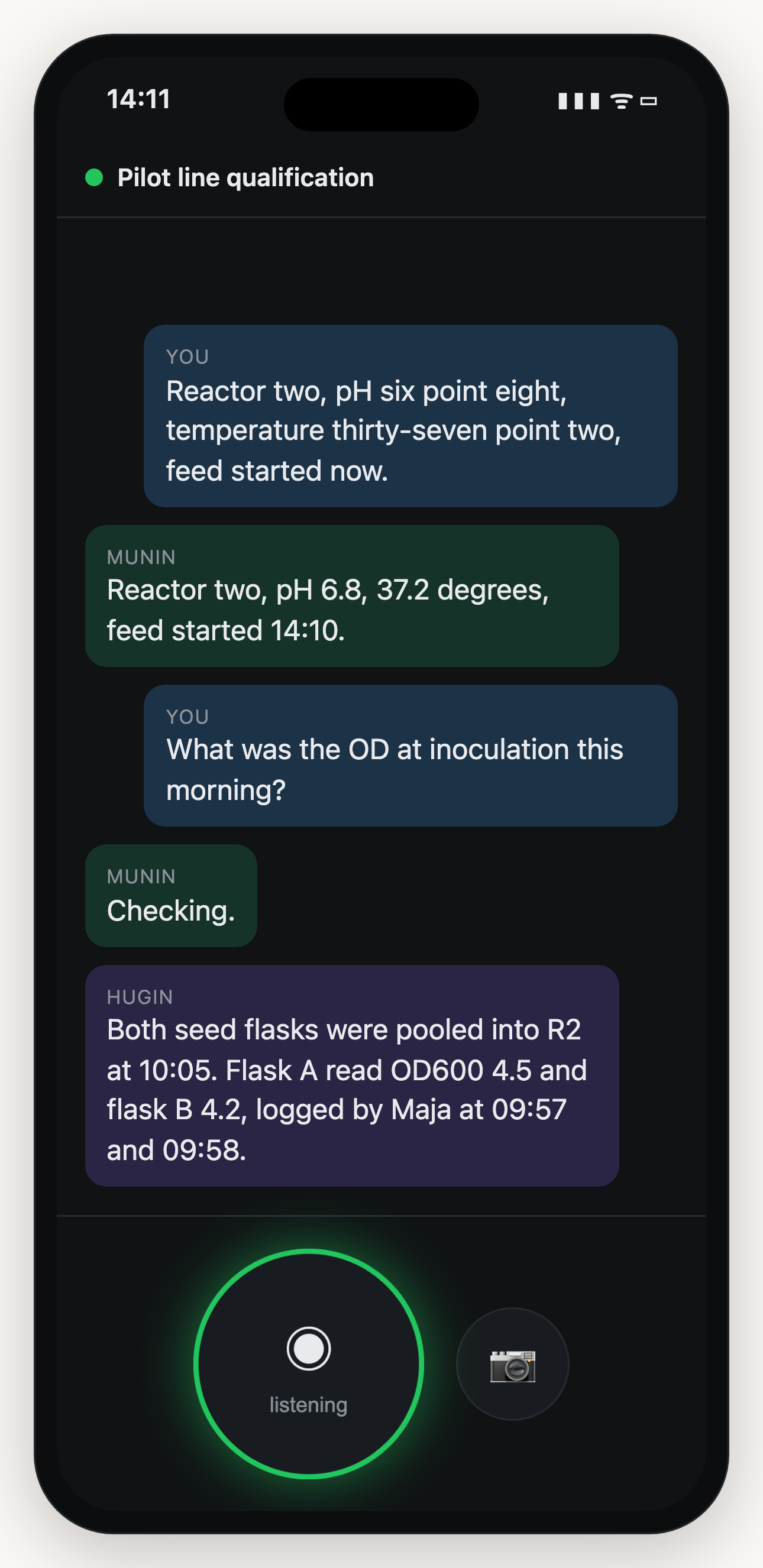
At the bench: speak, hear the readback, ask.
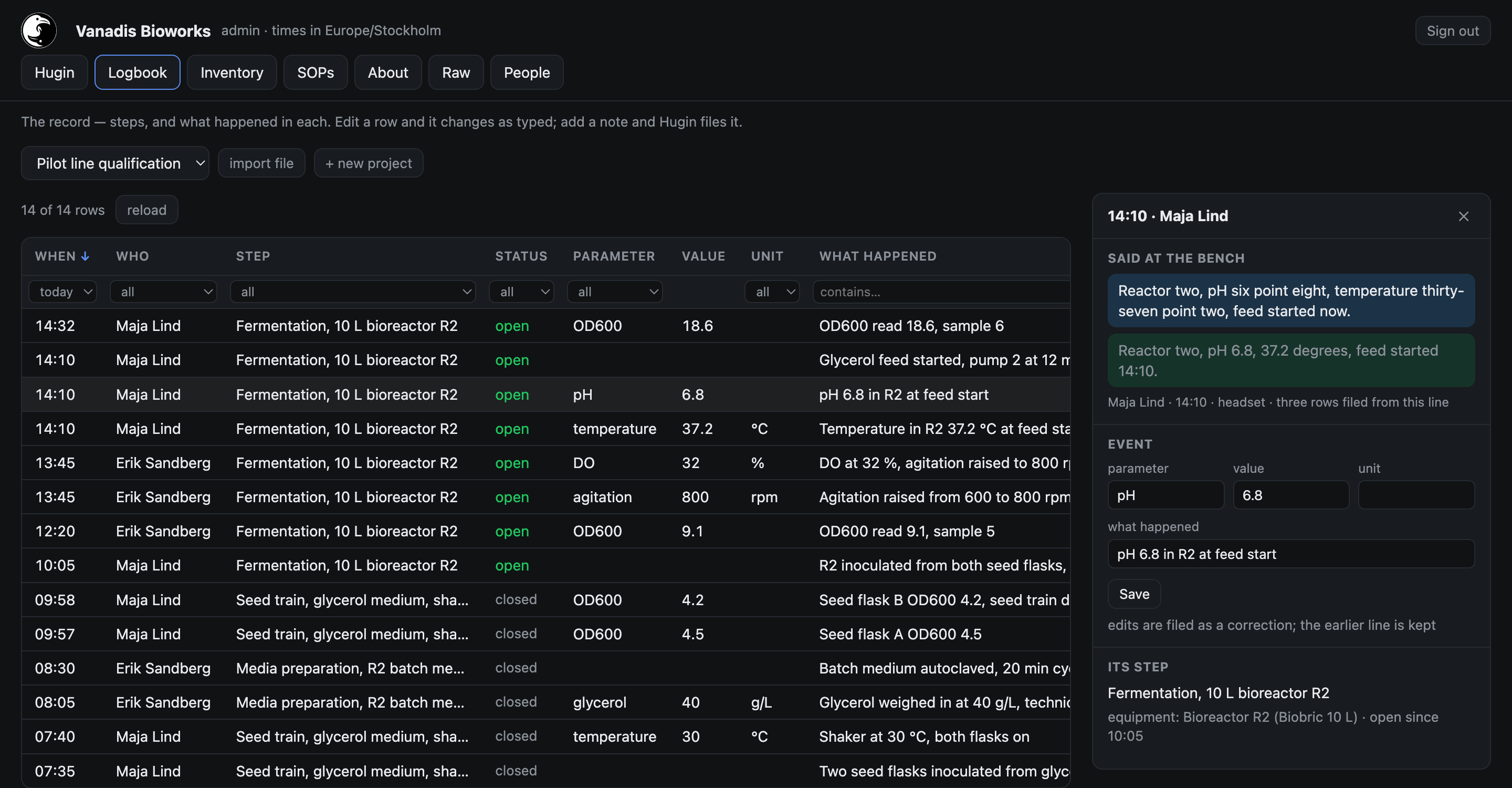
At the desk: the same words as a record. Example data, click to enlarge.
What it does
- One record for the lab. Everyone in a project speaks into the same log, and each entry names who said it.
- Photos. Take one at the bench and it is described and filed with the entry.
- Equipment, SOPs and the project description. Kept with the record, with images, written by voice or typed in the browser.
- File import. Reports, spreadsheets and instrument logs can be imported, stored and automatically integrated into the structured record.
- Answers in your ear. Ask about your runs or the instrument in front of you. When the record does not hold the answer, Ravenz searches the web and names its source.
- Reports. Ask for a lab report in the browser and export in Word or PDF. All data and information can be smoothly downloaded.
Request access early beta
Request received
You will hear from us by email.
Already have an account?
Sign-in is an emailed code. There are no passwords.
On a laptop? Scan with your phone to open the capture app there, add it to your home screen, and sign in inside the installed app. Capture works best with an open-ear headset such as a Shokz OpenComm2.